 virtualhome.blog My blog about virtualized infrastructures, backup and disaster recovery topics and the cloud !
Related Articles


Back in 2020, long before AI assistants were writing PowerShell for us 😉 I wrote a small script to solve a problem I kept running into in the field: https://www.virtualhome.blog/2020/04/22/creating-a-vcenter-role-for-veeam-with-powercli containing exactly the cumulative privileges Veeam Backup & Replication needs. Doing this by hand in the vSphere Client means clicking through dozens of privileges, and it’s far too easy to miss one. So now I can present to you the vCenter role for Veeam v13 script !
Six years and 36 commits later, the script is still alive and kicking. Today I’m happy to share that it now creates a vCenter role for Veeam v13, fully updated for the latest Veeam Backup & Replication release. Thank you very much Rasmus !
What’s new in the vCenter role for Veeam v13 update
The latest update brings the script up to date with the current Veeam and VMware ecosystem:
- VBR v13 cumulative permissions, based on the official recommendations in https://helpcenter.veeam.com/docs/vbr/permissions/cumulativepermissions.html
- PowerShell 5.1 and 7.x support with module-based PowerCLI loading
- Compatibility with the new VCF.PowerCLI meta-module as well as the legacy VMware.PowerCLI module
- Hardened error handling and guaranteed vCenter session cleanup
- Resilient per-privilege resolution privilege IDs that don’t exist on your vCenter version (for example vSphere 9.x-only IDs on an older server) are skipped with a warning instead of failing the whole run
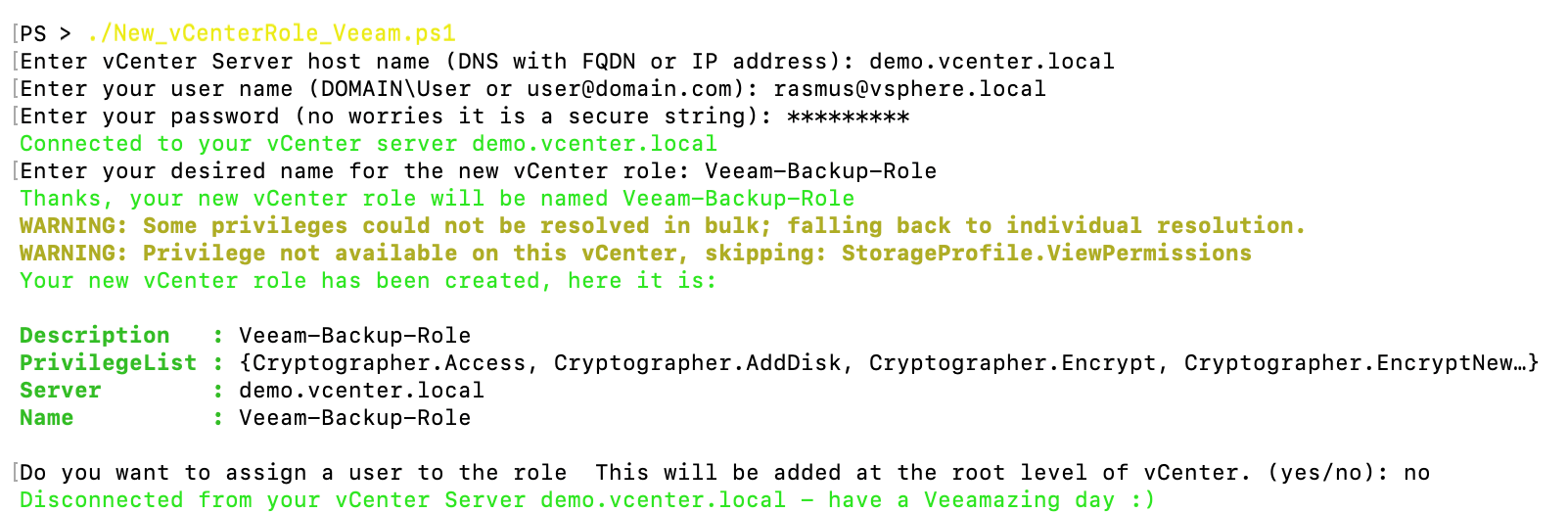
As before, the script can also check an existing role against the current privilege list, show you exactly which privileges are missing, and optionally apply the delta. On top of that, you can assign a user to the role at the vCenter root level directly from the script.
Tested environments for the vCenter role for Veeam v13
The script has been successfully tested against
- VMware vCenter 6.5
- VMware vCenter 6.7
- VMware vCenter 7.0
- VMware vCenter 8.0
- VMware vCenter 9.x
- Veeam Backup & Replication Version 10
- Veeam Backup & Replication Version 11
- Veeam Backup & Replication Version 12
- Veeam Backup & Replication Version 13
Thank you to the community
What started as a quick helper for my own projects has since been forked, starred, and improved by people all over the community. A big, honest thank you to everyone who contributed pull requests, opened issues, reported edge cases, or simply used the script in their environments and shared feedback. This is exactly what makes our community special, a small tool gets better because people care enough to give something back.
Get the script
You can find the script, the raw privilege list, and the full README on GitHub:
👉 github.com/falkobanaszak/vCenter-role-for-Veeam
As always: feedback, issues, and pull requests are very welcome. Let’s keep improving it together.